
Fork and use this template throughout the lesson → Lesson 13: JavaScript: Arrays & Loops
Warm-Up
Declare a variable for every scholar in camp. The variable names should be something like
Declare a variable for every scholar in camp. The variable names should be something like
scholar1, scholar2, etc. and the values should be strings of their first names. Be ready to share your code!Collections
Collections are data types that hold multiple things - think about your grandma’s cat statue collection - there is probably more than one statue, right?
In JavaScript, there are two types of collections: arrays and objects. In this lesson and during our time at camp, we will mainly focus on arrays.
Arrays
An array is a complex data type. It is an ordered collection that stores multiple values. They are useful whenever you need to keep track of an ordered list of things. This is similar to how we keep track of list items in the real world. Think back to the Warm Up - if there are 15 or 20 scholars in the room, writing out a variable for each one can be time-consuming. An array will allow us to store all scholar names assigned to one variable!
An array can store any kind of element, from numbers to strings to other arrays. However, a single array usually holds a lot of items that are all of the same type.
Think About It
Think about Instagram or TikTok - where might those applications use arrays?
Be ready to share out both the name of the app you are thinking about, and how it might use arrays.
Arrays IRL
It’s very likely that every application you’ve used - on a phone or laptop - utilized arrays in the code that built it.
We can’t see all the code that built every application, but there are some places where it’s very clear that an array would be the best tool to use. Here are some examples from popular sites:
- Instagram uses arrays to hold all the posts for a given user. Alfie the Alpaca has over 1000 posts, so the array is over 1000 elements long!
- Twitch has an array of recommended channels. They advertise these channels in the top left corner of their landing page.
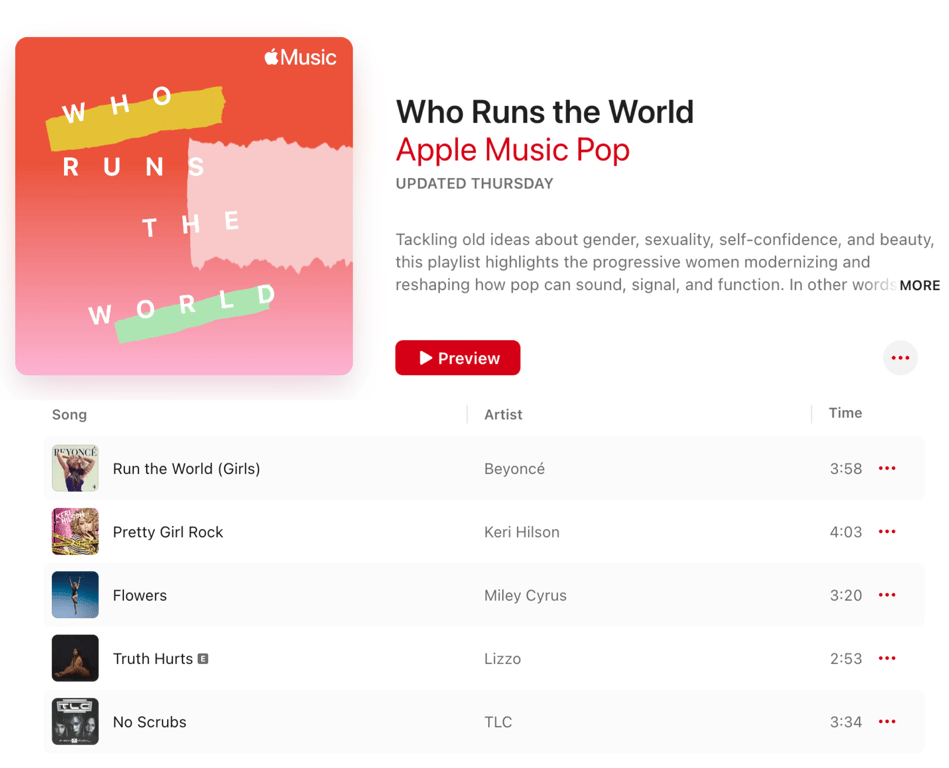
- Playlists on Apple Music are curated arrays of songs. When a user clicks on the playlist artwork, Apple Music shows them a list of all the songs within that playlist.
Syntax
An array starts and ends with square brackets:
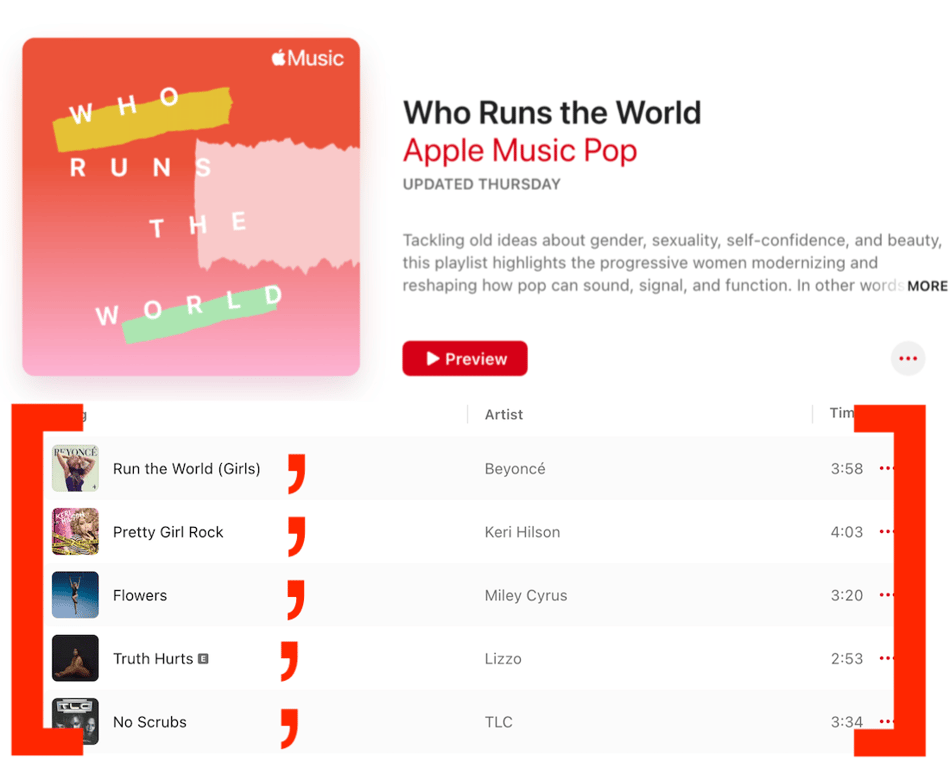
[]. Each item inside of the array is called an element. A comma separates each element inside an array. In almost all cases, we will assign the arrays we create to variables.// An array of strings: const viralHits = ["Run the World (Girls)", "Pretty Girl Rock", "Flowers", "Truth Hurts", "No Scrubs"]; // An array of numbers: const durationInSeconds = [238, 243, 200, 173, 214];
We can think of each song as an element in an array:
Access an Element
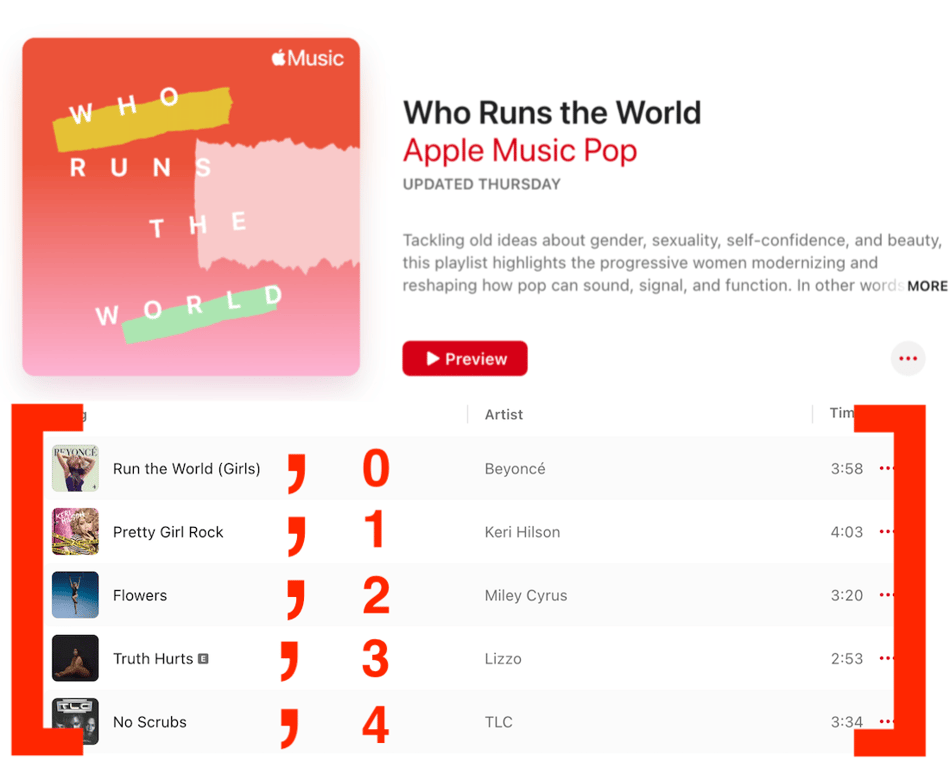
Each element in an array is automatically assigned a number called an index. This index can be used to access a specific element inside the array. Indices begin at 0 and count up. If we look back at our
viralHits array, the following would be true:Run the World (Girls)has an index of 0
Pretty Girl Rockhas an index of 1
Flowershas an index of 2
Truth Hurtshas an index of 3
No Scrubshas an index of 4
By using the square brackets, we can use the index to access a specific value in an array.
Thinking back to the visual representation of our array, here’s the index of each element:
viralHits[0];
//=> "Run the World (Girls)"

viralHits[3];
//=> "Truth Hurts"
We can also check how many elements are in an array with the
.length property:viralHits.length; //=> 5
Update Elements
We can also update elements with the square bracket syntax we looked at earlier. We access the index value that we would like to change and then reassign a new value for that index with a
=(the assignment operator).viralHits[1] = "Brave"; console.log(viralHits); //=> ["Run the World (Girls)", "Brave", "Flowers", "Truth Hurts", "No Scrubs"]
Add Elements
A common way to add something to an already existing array is to use the
push() method, which will add an element to the end of the array.viralHits.push("Die For You (Remix)"); console.log(viralHits); //=> ["Run the World (Girls)", "Brave", "Flowers", "Truth Hurts", "No Scrubs", "Die For You (Remix)"]
In the code snippet above,
.push() is called on the viralHits array. We add to the array by giving .push() an argument of the new element we want to add. In this case, it was a new song, the string of Die For You (Remix).Remove Elements
There are a few ways we can remove elements from an array. Most often, we either want to remove the first or last element. To do this, we have the
pop() and shift() methods. Check it out:viralHits.pop(); console.log(viralHits); //=> ["Run the World (Girls)", "Brave", "Flowers", "Truth Hurts", "No Scrubs"]
pop() was called on the viralHits array, and it removed the last element from the array.In the following example, you can remove the first element of an array by using
shift().viralHits.shift(); console.log(viralHits); //=> ["Brave", "Flowers", "Truth Hurts", "No Scrubs"]
A little different from
.push(), .pop() and .shift()does not take arguments - it knows what to do: remove the last element from an array.Try-It | Creating and Modifying Arrays
Create a variable that stores an array of at least 4 strings. You choose what the content is about. The variable name should describe the kind of data those 4 strings hold. Practice accessing specific elements. Make sure to
console.log() to verify you are accessing what you think you are.- Write a series of
console.log()statements: print out the first element, the last element, and then the second element.
- Now, add two new elements to your array. Use a
console.log()to make sure they have been added.
- Lastly, remove at least two elements from your array. Again, make sure they have been successfully removed by printing to the console.
🤖 AI Connection
Finished early? Prompt an AI tool to give you a five-question quiz on creating and modifying arrays in JavaScript to assess your learning.
Random Elements
When you hit shuffle on a playlist, how does Spotify decide what plays next? It's not a human making that call. It's code selecting a random element from an array of songs! By the end of this section, you'll understand exactly how that works and be able to build it yourself.
JavaScript gives us a tool called
Math to do advanced math, like square roots, logarithms, etc. Math also includes some tools for generating random numbers. We’ve got:Math.random()- returns a random decimal between 0 and 1
Math.floor(number)- returns the value of a number rounded down to the nearest integer
Let's walk through how to combine these two tools to pick a random element from an array:
const songs = ["Espresso", "Karma", "Flowers", "Levitating"];

// Step 1: Math.random() gives us a random decimal between 0 and 1
const randomDecimal = Math.random();
//=> 0.7302222530453233 (this number will vary every time)

// Step 2: Multiply by the length of the array to get a number within range
const randomNum = randomDecimal * songs.length;
//=> 2.920889012181293

// Step 3: Round down to get a whole number we can use as an index
const randomIndex = Math.floor(randomNum);
//=> 2

// Step 4: Use that index to grab a random song from the array
const song = songs[randomIndex];
//=> "Flowers"
So how does this help us work with arrays? A teacher could store all their students' names in an array and use this same approach to call on someone at random:
const students = ["Leta", "Ellen Mary", "Pam", "Megan", "Amy", "Sarah", "Robyn", "Courtney", "Rachel", "Allison", "Ruby", "Maile", "Julie", "Meg", "Christie", "Emmie", "Aurora", "Tori", "Juliana", "Kerry"];
Now, the teacher can write a
pickStudent function:function pickStudent() { const randomIndex = Math.floor(Math.random() * students.length); const randomStudent = students[randomIndex]; return randomStudent; } console.log(pickStudent()); // one random student from the array will print out
Instead of calling
students[0] or students[7], we used randomIndex as the index. Each time the function runs, it generates a different number, so a different student gets picked!Discuss
Considering this section on selecting random elements from an array, answer the following questions with your breakout group:
- What does
Math.random()do?
- Why did we choose to multiply
Math.random()bystudents.length?
- What would happen if we forgot to use
Math.floor()?
- Is it possible for this function to ever return the same student? Why or why not?
In the previous activity, we used
console.log to see which student’s name was picked from an array of names. But users don't usually look at the console! Use your learning from the DOM lesson to show the selected name on the webpage instead.✏️ Try-It | Visual Random Picker
Your HTML file already has two elements set up for you: an
<h1> with an id of display-name and a <button> with an id of student-randomizer. Your job is to connect them to your JavaScript so the button actually does something!- Create a variable that selects the
<h1>with the iddisplay-name.
- Create a variable that selects the
<button>with the idstudent-randomizer.
- Add an event listener to the button so that when a user clicks it, a randomly selected student's name appears on the page.
Iteration
Now that you’ve got arrays down, let’s talk about iteration!
What is Iteration?
Iteration (or looping for a specified number of times) is a process of repeating a task for each object in a collection. For each of the scenarios below, we’ll walk through using scenarios we are familiar with to demonstrate the concept.
These are examples that would be programmatically challenging because they would require several steps, but are things that we do every day.
We can also iterate in programming. By “in programming,” we mean things that could be done, with relative ease by a computer, like crunching numbers.
Scenario | Collection | For each... | Do this: | Then: |
Grading papers | All papers | Paper | 1. Read through it 2. Mark the score on the top 3. Record score in gradebook | Repeat with the next paper |
Feeding animals | All animals | Animal | 1. Bring the animal to the food bucket 2. Allow the animal to eat 3. Bring animal back to barn | Repeat with the next animal |
Scenario | Collection | For each... | Do this: | Then: |
Calculating max heart rate for different people based on their age | Birth years | Year | 1. Subtract birth year from 2026 to get age 2. Subtract age from 220 | Repeat with the next year |
Formatting names | All names | Name | 1. Capitalize the first letter 2. Lowercase all remaining letters | Repeat with the next name |
Think About It: Iteration in Real Life and Programming
Brainstorm a real-life scenario that uses iteration. Draw a table like the one below in your journal and fill in the blanks.
Column 1 | Column 2 | Column 3 | Column 4 | Column 5 |
Scenario | Collection | For each... | Do this: | Then: |
Think of how arrays are used in apps that you use. Why might you a developer to iterate over that collection? Jot it down with a similar table.
Column 1 | Column 2 | Column 3 | Column 4 | Column 5 |
Scenario | Collection | For each... | Do this: | Then: |
Iterator Methods
Earlier in the lesson, you learned about the array methods
.push() and .pop(). Now we’re going to learn another array method, .forEach(). It’s what is referred to as an iterator method because its job is to run a function not only once, but one time for each element in the array.forEach
The benefit of iterators is they save us time. When we want to repeat the same thing for a lot of items, we only have to write that command once. For example, if we wanted to do something with each string in the
viralHits playlist array, our code would look like this:console.log(`Have you heard ${viralHits[0]} yet?!`); console.log(`Have you heard ${viralHits[1]} yet?!`); console.log(`Have you heard ${viralHits[2]} yet?!`); console.log(`Have you heard ${viralHits[3]} yet?!`); console.log(`Have you heard ${viralHits[4]} yet?!`);
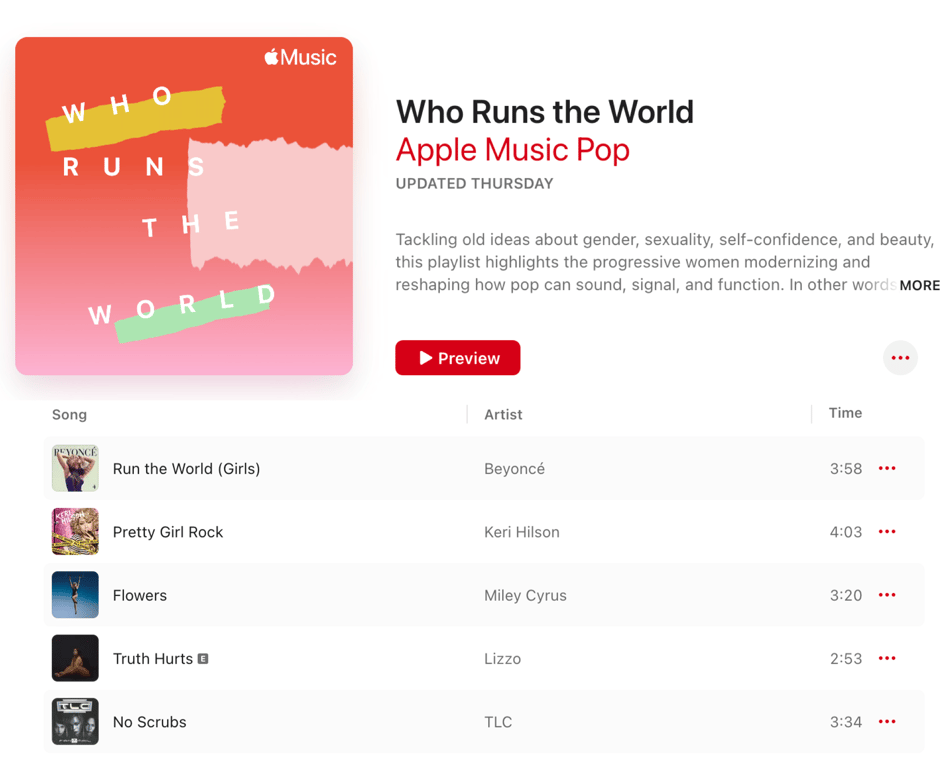
Right now, this doesn’t seem so bad, but what if there are 100 songs in that playlist and we wanted to ask if a user had heard each one? That’s a lot of lines of code to write and potentially a lot of places we would need to update it every time we added or removed a song from the playlist.
Syntax
viralHits.forEach(function(song) {
  console.log(`Have you heard ${song} yet?!`);
});
Let's break this code down.
viralHitsis the array we are going to iterate over.
.forEach()is a built-in function that runs through each element of the array it’s called on, one-by-one. It takes one argument, a function. This is different from anything we’ve seen before. It’s saying it will run this function for each element in the array.
function(song) {is the function that will run on each element in the array. If there are 10 elements in the array, it will run 10 times. 100 elements? 100 times.songis the variable that represents the current element in the array being iterated over.songcould be named anything, but it is a best practice to relate the variable name to the function’s purpose whenever possible.
console.log(song)is the code that will run for each element. In this case, each song’s title in the array will print to the console.
Arrow Function Syntax
You just saw a function written inside of
.forEach(). This is called an anonymous function. It’s a function with no name, written right where it's needed. In modern JavaScript, developers almost always write this using a shorter syntax called an arrow function. It does the exact same thing, just with less typing:viralHits.forEach((song) => { console.log(`Have you heard ${song} yet?!`); });
The only difference is that we removed the word
function and added a => (called a fat arrow) between the parameter and the opening curly brace. You can think of the => as meaning “do this”: take song, do this → log it to the console.New Vocabulary: Callback Function
Notice that we're passing a function directly into
.forEach() as an argument. This is called a callback function. It’s a function that gets handed to another function to be run later. In this case, we're giving .forEach() our arrow function and saying “call this once for every element in the array.” You'll run into callbacks a lot as you continue learning JavaScript. This is your first one!👀 Click here to see how arrow functions work with event listeners!
You've actually already worked with callback functions! You just didn't call them that yet! Back in the DOM lesson, when you added an event listener, you wrote a separate function and passed its name in as an argument:
function handleBooking() {
  statusText.textContent = "Booking Status: CONFIRMED! ✈️";
}

bookingBtn.addEventListener("click", handleBooking);
That
handleBooking function you passed in? That's a callback! Now that you know arrow function syntax, you can skip writing a separate named function and write the logic inline, just like you're doing with forEach:bookingBtn.addEventListener("click", () => { statusText.textContent = "Booking Status: CONFIRMED! ✈️"; });
Both work exactly the same way. The inline style is just more compact, and you'll see it used a lot in modern JavaScript.
From here on out, we'll use arrow function syntax whenever we write code inside
.forEach(). You’ll still see the older method with the function keyword, but it’s less common in modern JavaScript. Now you know both styles work the same way!Try-It |
forEach- Write an array with at least four elements (strings) of things you want to learn.
- Write a
forEachfor this array and print out "I want to learn ____" for each element.
🌶️ Mild Challenge: Print out the YELLING version of each statement. Look into how to convert a string to uppercase!
Placeholders and Counters
Sometimes, when iterating over an array, our end goal won’t be to do the exact same thing to each element. Sometimes we’ll want to combine elements. Sometimes we’ll want to filter through them and only use some of them.
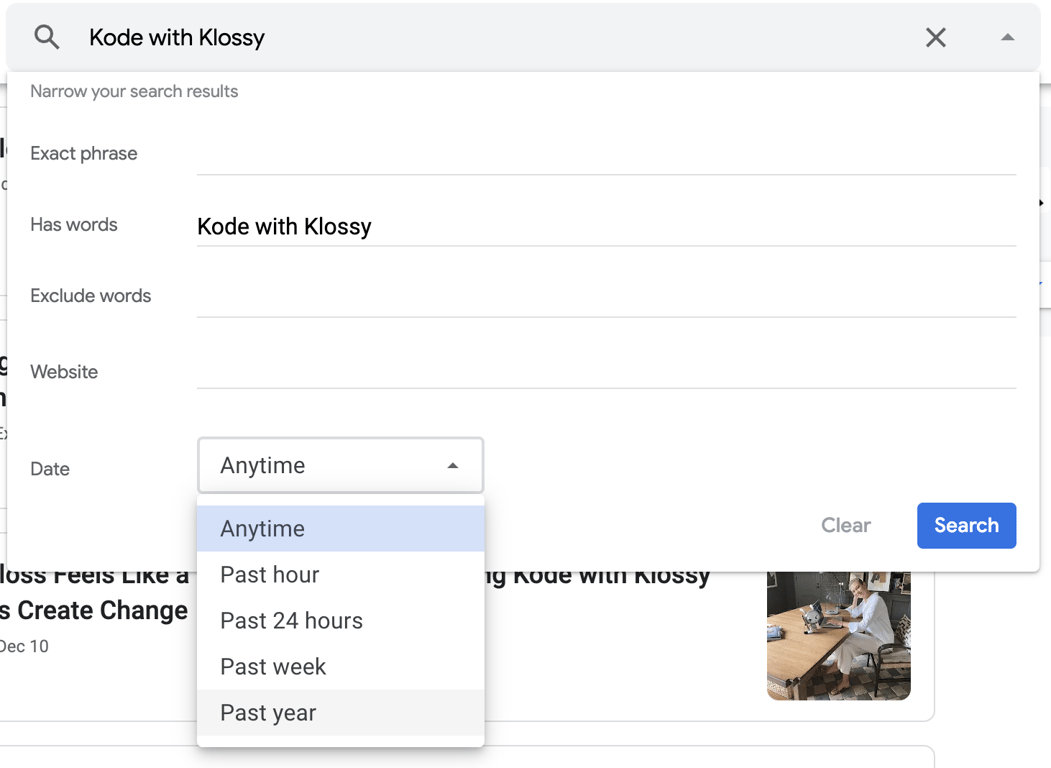
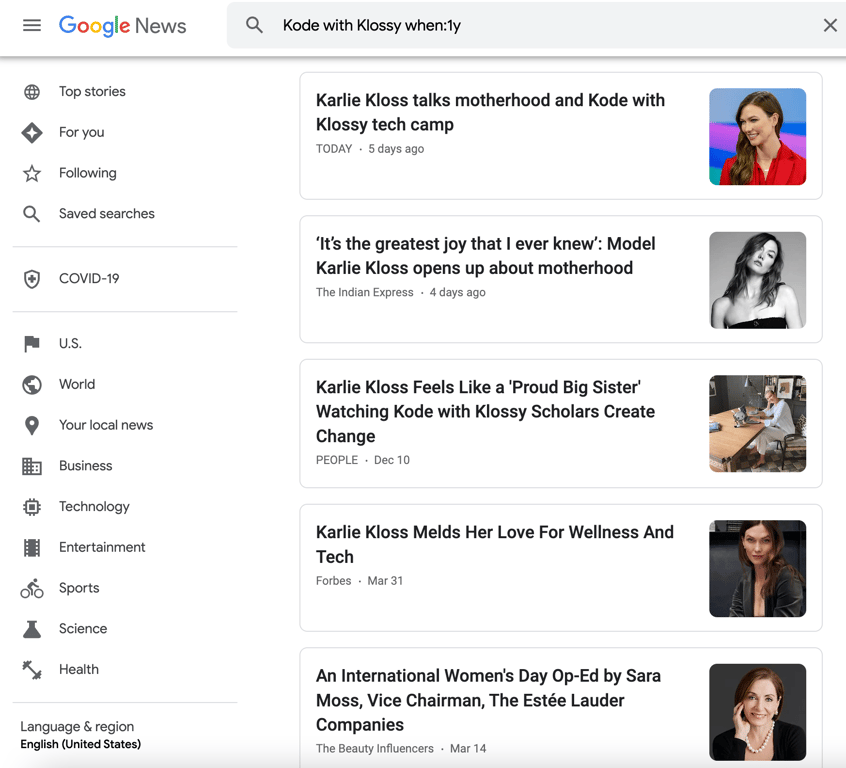
Here’s a real-life example: Google News has an array of articles related to each term, for example “Kode With Klossy”. When we first search a term, we’ll see all the posts. If we use the filters from the drop-down and select a specific date range, we’ll only see the articles that were posted within the selected range.
How did Google News do that? They iterated over the array of all articles, checked each one for a piece of criteria, and put those that met the criteria in a placeholder. After it finished iterating, it returned the placeholder and displayed them in the browser.
Let’s solve a slightly less involved challenge, but one that gets at the same idea. Our goal will be to take an array of numbers and return an array of only the numbers from the original array that are greater than 10. One important thing to know about
forEach is that it won’t ever change the array it was called on.// start with an array of numbers const numbers = [1, 4, 23, 14, 5, 7, 11, 6, 92]; // start a placeholder array to store numbers > 10 const largeNumbers = []; // iterate over the array numbers.forEach((number) => { // ? });
In the code above, we set up our placeholder and our
forEach. Now, we need to do some work inside the forEach.numbers.forEach((number) => { // check if the current number being iterated over is greater than 10 if (number > 10) { // ? }; });
In the code above, we wrote a conditional to check the value of the current number against 10. Now, we need to write code inside that conditional.
numbers.forEach((number) => {
  if (number > 10) {
    // if the number is greater than 10
    // push it into the largeNumbers placeholder array
    largeNumbers.push(number);
  };
});
At this point, our
largeNumbers array is holding all four numbers greater than 10. Let’s use a console.log() statement to confirm this!numbers.forEach((number) => { if (number > 10) { largeNumbers.push(number); }; }); console.log(numbers); // [1, 4, 23, 14, 5, 7, 11, 6, 92] console.log(largeNumbers); // [23, 14, 11, 92]
From Placeholders to Counters
In the example above, we used an empty array as a placeholder to collect every number greater than 10. But sometimes we don't need to hold onto the actual elements, we just want to know how many there are. Think about Instagram showing you a like count. It doesn't display every person who liked the post, it just tracks the total. That's where a counter comes in. Instead of starting with an empty array, we start with a variable set to zero and increment it each time an element meets our condition.
const numbers = [1, 4, 23, 14, 5, 7, 11, 6, 92];
let count = 0;

numbers.forEach((number) => {
  if (number > 10) {
    // ?
  }
});

console.log(count); // 4
What would you change if you wanted to count the numbers greater than 10 instead of collect them? You’ll notice that the variable on line 2 changed to a counter, but how would the logic inside the conditional block change?
Click here to see the solution!
We start with a counter at zero and increment it by one each time anumber meets our condition. Notice that count is declared with let instead of const because its value needs to change as we iterate.
const numbers = [1, 4, 23, 14, 5, 7, 11, 6, 92];
let count = 0;

numbers.forEach((number) => {
  if (number > 10) {
    count += 1;
  }
});

console.log(count); // 4
Try-It | Iteration
Write a
forEach to calculate the sum of all of the numbers in an array. For example, when an array is passed like [19, 5, 42, 2, 77], the output should be 145.🌶 Mild Challenge
Trisha gets paid $22 each time she walks a dog. The array below holds 7 numbers, the number of dog walks she took each day last week. Write a function that calculates her total pay.
const dogWalks = [4, 5, 2, 2, 6, 1, 3]
🌶🌶 Medium Challenge
Write a function that returns the sum of the two lowest positive numbers given an array of minimum 4 integers. No empty arrays will be passed in. For example, when an array is passed like
[19, 5, 42, 2, 77], the output should be 7.🌶🌶🌶 Spicy Challenge
Write a function that takes in one argument - an array of numbers. The array must have at least 3 elements. All numbers except for one of them will be either even or odd. Your job is to return that one number that is the exception. Below are some example inputs and outputs. Make sure your function works on them all.
- Input:
[1, 3, 5, 6], Output:6
- Input:
[10, 17, 20, 30, 40, 50], Output:17
- Input:
[19, 5, 42, 1, 77], Output:42
In this lesson, we covered a lot of ground. Arrays are one of the most fundamental building blocks in programming. Nearly every application you use relies on them to organize and manage data! Knowing how to create, modify, and access arrays gives you the ability to work with real, dynamic information rather than isolated variables. Iteration takes that a step further, allowing you to do something meaningful with every element in a collection using just a few lines of code.
Practice | Arrays & Loops
Declare a variable called
following that stores an array of your top five favorite accounts to follow on social media, as strings.- Change the value of at least one of the elements in the array
- Add a new account to the array
- Remove the last account from the array
- Print the value of the third element of the array
- Change the value of another element in the array
- Add another account to the array
- Print the value of the first element of the array
- Print one account to the console, at random.
- Use a
forEachloop to print a custom message for each account in your array (e.g., "I love following [account] for daily inspiration!")
Click here for a Spicy Challenge 🌶🌶🌶
Write a function that takes in one argument, a string. If the string is "happy", output a randomly generated sentence about being happy. If the string is "ok", output a randomly generated sentence about being ok. If the string is "sad", output a randomly generated sentence to cheer someone up. You will need to use a function, conditional, multiple arrays, and have to generate a random number.
For a summary of this lesson, check out the 13. JavaScript: Arrays and Loops One-Pager!